
Clean up your hard disk of unwanted and useless files, scan your drives searching for physical or logical errors, and defragment your hard disk to get a better performance of your system, all those are necessary tasks that will help you to maintain your computer in perfect conditions. But, sometimes we don't always remember to run each of these necessary tasks, so we usually forget to do it, and as a result, just when our computer is very slow and with a low performance, we quickly try to execute those tasks to restore our PC again.
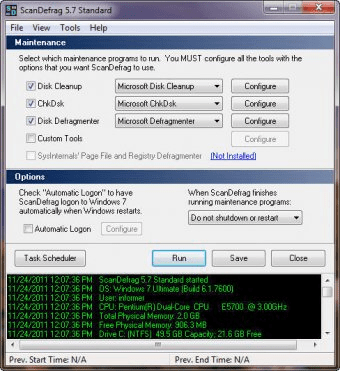
But, now ScanDefrag can help us to automatize the clean up, analyze, and defragmentation tasks of our hard disks. This simple application will use all tools already available in your Windows. From just one window, you will be able to configure these three basic functions and they will be done after rebooting your system, and as a consequence, you will get better results.
ScanDefrag also lets your to use Norton Disk Doctor, Norton SpeedDisk, and Jeoren Kessels' Defragmenter, (if they are installed in your PC, of course) instead of the classic tools of Windows. Besides, you will be able to schedule for a specific hour of the week, or month, so you will forget about your hard disks maintenance.





Comments